After Effects Project Dynamic Winter Blizzard Logo

AE templates

Required software :

By installing After Effects software, you can edit this project as you wish and in any language.

Size :

0.4Mb

Format :

ZIP

Editing :

AE/CC

Quality :

Full/Hd

Password :

Khalaj.Net

Instant Download After Payment

 25

No Plugins :

Works out of the box—no extra plugins needed.

Full HD 1920×1080 :

Full HD for modern screens and platforms.

Video Tutorial:

Step-by-step guide to help customize easily.

Fully Editable :

text, media, timing, and layout with full control.

Dynamic Winter Blizzard Logo Intro for After Effects

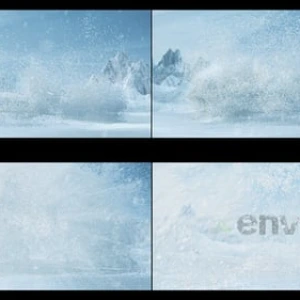
After Effects Project Dynamic Winter Blizzard. This After Effects project offers a cinematic introduction that brings your logo to life amid a swirling winter blizzard. The animation features detailed snow and ice particle effects that create a frosted, immersive atmosphere, enhancing the visual appeal of your brand presentation. The realistic snow movements and icy textures add depth and drama to the reveal, making your logo stand out with a cold-weather theme.

After Effects Project Dynamic Winter Blizzard includes two main final compositions: a short version and a wide version, allowing you to select the best aspect ratio for your specific needs. Modular logo scenes such as ‘Logo’, ‘Logo Freeze’, and ‘Logo Comp’ provide flexibility for customization and reuse. You can easily replace your logo and text within these segments, ensuring a smooth editing experience. Additionally, the package contains pre-rendered snow and blizzard footage, including various snow particle and explosion effects, which contribute to the atmospheric depth without requiring any additional plugins.

Practical Use and Creative Workflow

After Effects Project Dynamic Winter Blizzard is ideal for seasonal campaigns, holiday greetings, or any project that benefits from a dramatic winter-themed opener. The logo and accompanying text emerge from the heart of the storm, encased in an icy, textured finish that adds a cinematic flair. The workflow is straightforward, enabling users to quickly adapt the project by swapping logos and text while preserving the dynamic snow effects. This makes it a valuable tool for creative professionals seeking to deliver impactful and visually engaging winter intros.

Overall, this After Effects project combines high-quality cinematic visuals with practical customization options. Its modular structure and pre-rendered elements streamline the editing process, allowing you to focus on tailoring the animation to your brand’s identity and message. Whether for marketing videos or festive presentations, this template provides a compelling way to introduce your logo with a powerful winter blizzard effect.
Product Description :
Required Software :
Required Software for Editing

To edit this project, you must have one of the compatible versions installed on your system.

You may use any of the supported versions listed below to open and edit the project file. The version you choose depends on your system specifications, hardware performance, and personal preference.

All supported versions allow full editing of the project.
Please select the version that best matches your computer’s capabilities for optimal performance.

Adobe
AfterEffects CC2025

Cracked and installed
Free Download

Adobe
AfterEffects CC2025

Cracked and installed
Free Download

Adobe
AfterEffects CC2025

Cracked and installed
Free Download

Adobe
AfterEffects CC2025

Cracked and installed
Free Download

Online chat support :

Similar Products

After Effects Project Dynamic Winter Blizzard Logo

AE templates

Required software :

By installing After Effects software, you can edit this project as you wish and in any language.

Instant Download After Payment

 25

Size :

0.4Mb

Format :

ZIP

Editing :

AE/CC

Password Zip File (Copy)

Khalaj.Net

No Plugins

Works out of the box no extra plugins needed.

Full HD 1920

Full HD for modern screens and platforms.

Video Tutorial

Step-by-step guide to help customize easily.

Fully Editable

text, media, timing, and layout with full control.

Dynamic Winter Blizzard Logo Intro for After Effects

After Effects Project Dynamic Winter Blizzard. This After Effects project offers a cinematic introduction that brings your logo to life amid a swirling winter blizzard. The animation features detailed snow and ice particle effects that create a frosted, immersive atmosphere, enhancing the visual appeal of your brand presentation. The realistic snow movements and icy textures add depth and drama to the reveal, making your logo stand out with a cold-weather theme.

After Effects Project Dynamic Winter Blizzard includes two main final compositions: a short version and a wide version, allowing you to select the best aspect ratio for your specific needs. Modular logo scenes such as ‘Logo’, ‘Logo Freeze’, and ‘Logo Comp’ provide flexibility for customization and reuse. You can easily replace your logo and text within these segments, ensuring a smooth editing experience. Additionally, the package contains pre-rendered snow and blizzard footage, including various snow particle and explosion effects, which contribute to the atmospheric depth without requiring any additional plugins.

Practical Use and Creative Workflow

After Effects Project Dynamic Winter Blizzard is ideal for seasonal campaigns, holiday greetings, or any project that benefits from a dramatic winter-themed opener. The logo and accompanying text emerge from the heart of the storm, encased in an icy, textured finish that adds a cinematic flair. The workflow is straightforward, enabling users to quickly adapt the project by swapping logos and text while preserving the dynamic snow effects. This makes it a valuable tool for creative professionals seeking to deliver impactful and visually engaging winter intros.

Overall, this After Effects project combines high-quality cinematic visuals with practical customization options. Its modular structure and pre-rendered elements streamline the editing process, allowing you to focus on tailoring the animation to your brand’s identity and message. Whether for marketing videos or festive presentations, this template provides a compelling way to introduce your logo with a powerful winter blizzard effect.

Product Description
Required Software
Required Software for Editing

To edit this project, you must have one of the compatible versions installed on your system.

You may use any of the supported versions listed below to open and edit the project file. The version you choose depends on your system specifications, hardware performance, and personal preference.

All supported versions allow full editing of the project.
Please select the version that best matches your computer’s capabilities for optimal performance.

Adobe
AfterEffects CC2025

Cracked and installed
Free Download

Adobe
AfterEffects CC2025

Cracked and installed
Free Download

Adobe
AfterEffects CC2025

Cracked and installed
Free Download

Adobe
AfterEffects CC2025

Cracked and installed
Free Download

Online chat support

After Effects Project Dynamic Winter Blizzard Logo

AE templates

Required software :

By installing After Effects software, you can edit this project as you wish and in any language.

Instant Download After Payment

 25

Size :

0.4Mb

Format :

ZIP

Editing :

AE/CC

Password Zip File :

Khalaj.Net

No Plugins

Works out of the box no extra plugins needed.

Full HD 1920

Full HD for modern screens and platforms.

Video Tutorial

Step-by-step guide to help customize easily.

Fully Editable

text, media, timing, and layout with full control.

Dynamic Winter Blizzard Logo Intro for After Effects

After Effects Project Dynamic Winter Blizzard. This After Effects project offers a cinematic introduction that brings your logo to life amid a swirling winter blizzard. The animation features detailed snow and ice particle effects that create a frosted, immersive atmosphere, enhancing the visual appeal of your brand presentation. The realistic snow movements and icy textures add depth and drama to the reveal, making your logo stand out with a cold-weather theme.

After Effects Project Dynamic Winter Blizzard includes two main final compositions: a short version and a wide version, allowing you to select the best aspect ratio for your specific needs. Modular logo scenes such as ‘Logo’, ‘Logo Freeze’, and ‘Logo Comp’ provide flexibility for customization and reuse. You can easily replace your logo and text within these segments, ensuring a smooth editing experience. Additionally, the package contains pre-rendered snow and blizzard footage, including various snow particle and explosion effects, which contribute to the atmospheric depth without requiring any additional plugins.

Practical Use and Creative Workflow

After Effects Project Dynamic Winter Blizzard is ideal for seasonal campaigns, holiday greetings, or any project that benefits from a dramatic winter-themed opener. The logo and accompanying text emerge from the heart of the storm, encased in an icy, textured finish that adds a cinematic flair. The workflow is straightforward, enabling users to quickly adapt the project by swapping logos and text while preserving the dynamic snow effects. This makes it a valuable tool for creative professionals seeking to deliver impactful and visually engaging winter intros.

Overall, this After Effects project combines high-quality cinematic visuals with practical customization options. Its modular structure and pre-rendered elements streamline the editing process, allowing you to focus on tailoring the animation to your brand’s identity and message. Whether for marketing videos or festive presentations, this template provides a compelling way to introduce your logo with a powerful winter blizzard effect.

Product Description
Required Software
Required Software for Editing

To edit this project, you must have one of the compatible versions installed on your system.

You may use any of the supported versions listed below to open and edit the project file. The version you choose depends on your system specifications, hardware performance, and personal preference.

All supported versions allow full editing of the project.
Please select the version that best matches your computer’s capabilities for optimal performance.

Adobe
AfterEffects CC2025

Cracked and installed
Free Download

Adobe
AfterEffects CC2025

Cracked and installed
Free Download

Adobe
AfterEffects CC2025

Cracked and installed
Free Download

Adobe
AfterEffects CC2025

Cracked and installed
Free Download

Online chat support
