Corporate Presentations

After Effects Corporate Presentation Templates

After Effects Corporate Presentation templates are built for polished company profiles, business presentations, annual reports, investor pitches, internal communications, conferences, service showcases, and branded corporate videos. Instead of starting every scene from a blank composition, editors can work with pre-designed layouts for text, images, video, logos, statistics, charts, timelines, team profiles, and calls to action. The strongest templates combine clean typography, controlled motion, modular sequencing, and practical customization, allowing a company to turn dense information into a clear visual narrative while keeping the final piece aligned with brand identity and the needs of a specific audience.

What Is an After Effects Corporate Presentation Template?

A Corporate Presentation template for After Effects is an editable motion-design project built to organize business information into a professional video sequence. Typical scenes combine animated typography, image and video placeholders, logos, icons, charts, infographics, and restrained transitions. Unlike a basic slideshow, the timing, motion language, composition, and scene hierarchy are already designed, so the editor focuses on replacing content and adapting the style. These templates can support company profiles, business reports, service overviews, project recaps, internal meetings, or marketing presentations. Before choosing one, review the scene count, placeholder structure, aspect ratio, color controls, software requirements, and overall pacing to make sure the template can support the story you actually need to tell.

Build a Strong Company Profile Video

One of the most common uses for Corporate Presentation templates is a concise company profile video. A well-structured profile can introduce the brand, industry, history, mission, vision, values, capabilities, and competitive strengths without overwhelming the viewer. Useful template scenes often include a logo opener, company overview, office or facility footage, portfolio highlights, key numbers, testimonials, and contact information. For a stronger result, reduce long corporate copy into short statements and give each scene one clear message. Real photography and video from the company usually add more credibility than generic stock visuals. When those assets are paired with accurate brand colors and typography, a pre-built template can feel custom rather than looking like an off-the-shelf presentation.

Present to Executives and Board Members

Executive presentations require clarity more than visual spectacle. After Effects can help turn performance data, project status, strategic goals, risks, and next steps into a sequence that is easier to follow in a meeting. Clean layouts, large numbers, focused headlines, and subtle motion generally work better than aggressive effects in this context. If a presenter will speak alongside the video, each scene needs enough screen time for the audience to read the information and for the speaker to add context. A good corporate template can provide structure for quarterly reviews, board updates, leadership briefings, and operational reports, but the editor should still simplify the content and remove decorative elements that compete with the decision-making information.

Turn Annual Reports into Engaging Video

Annual reports and performance reviews can become more accessible when key results are presented visually. Corporate templates may include counters, bar charts, line graphs, pie charts, maps, timelines, and milestone scenes that can highlight revenue growth, customer numbers, completed projects, geographic expansion, new offices, product launches, or sustainability goals. The important numbers should receive visual priority, while supporting copy stays concise. Consistent color coding helps viewers compare periods or business units quickly. Motion should reveal information in a logical order rather than simply animate everything at once. This approach can be useful for shareholders, partners, employees, or public-facing recap videos because it turns a long list of metrics into a narrative that shows progress and direction.

Showcase Products and Services

Many business presentation templates include dedicated layouts for products and services. A scene can combine a product image or short demo, a headline, a benefit statement, and a few supporting features. Service businesses can use icons, process footage, team imagery, or customer-facing scenes to explain what they do and why it matters. For product sequences, consistent photography and similar framing create a more unified look. For services, focus on outcomes rather than listing every capability. If the presentation is also intended to support sales, consider including a clear call to action near the end. The goal is to help the viewer understand the value of the offer quickly while keeping the visual treatment aligned with the broader company identity.

Create a Startup and Investor Pitch Video

Startups can use Corporate Presentation projects to produce a video version of a pitch deck covering the problem, solution, target market, product, business model, traction, team, and growth plan. Motion can make the story more engaging, but it should not hide the core data. Keep charts simple, labels readable, and each scene focused on a single takeaway. Short product screen recordings, app demonstrations, customer examples, or prototype footage can strengthen credibility. A closing sequence can summarize the value proposition and provide a next step such as a meeting request or contact details. The best investor-facing presentations balance narrative and evidence, using motion graphics to clarify information rather than turning the pitch into a purely promotional reel.

Use Charts, Infographics, and Data Visualization

Data visualization is a major reason editors choose corporate After Effects templates. Animated bar charts, line charts, pie graphs, percentage indicators, counters, global maps, location pins, and comparison layouts can make dense business information easier to scan. Every chart should clearly identify the value, unit, category, and time period so that animation does not create ambiguity. Limit the color palette and connect it to the brand system. If a template provides centralized color controls, use them to keep data scenes consistent with the rest of the presentation. Always test readability at the actual delivery size, especially when the same video may be shown on a conference screen and later embedded on a website or viewed on a phone.

Introduce Teams and Leadership

Team scenes are useful for presenting founders, executives, department heads, project leaders, or subject-matter experts. A typical layout combines a portrait, name, role, and short line of context. Consistent photography makes these scenes feel more professional, so try to match background, crop, lighting, and image quality. For organization charts, keep the structure simple and show only the relationships that matter to the presentation. A small company may give each person a dedicated scene, while a larger organization may group people by function. Leadership and team sections can be especially valuable in investor decks, proposals, bids, consulting presentations, and company profiles where the experience of the people behind the business influences trust.

Tell the Company Story with a Timeline

Timeline scenes can show how a company moved from launch to its current position. Milestones might include founding, product releases, certifications, office openings, major partnerships, customer growth, funding rounds, or expansion into new markets. Horizontal or vertical timeline animation helps viewers understand sequence without reading a long history paragraph. Use only milestones that contribute to the brand story; too many dates will slow the video and reduce the importance of the strongest moments. Pairing each milestone with a short headline, icon, image, or key number can add context. A strong timeline should make the past relevant to the present and show why the company is positioned for its next stage.

Communicate Mission, Vision, and Values

Mission and vision sections work best when they feel connected to the company rather than presented as generic slogans. Corporate templates often use simple backgrounds, strong typography, symbolic imagery, or short video clips for these scenes. Consider giving each core value its own concise statement and supporting visual. A company focused on innovation may use technology imagery and precise motion, while a sustainability message may use a different visual language. The point is not to decorate the words but to reinforce their meaning. When copy, imagery, color, and soundtrack support the same idea, the values section becomes part of the brand story instead of a checklist that viewers quickly forget.

Use Corporate Presentations at Events and Trade Shows

Corporate videos are often used outside conference rooms. They can run on exhibition displays, conference screens, retail monitors, event openers, booth loops, and launch-stage backgrounds. In environments where audio may be hard to hear, the main message should still be understandable through text and imagery. For trade-show loops, consider a seamless or near-seamless ending so the video can repeat naturally. Large displays require strong contrast and type that remains readable from a distance. Event versions may also include speaker names, sponsor logos, schedule information, partner branding, or a closing contact message. Because people may only watch a portion of the loop, important brand information should appear more than once or be distributed across the sequence.

Match the Template to Your Brand Identity

A professional template should adapt to the brand, not force the brand to imitate the template. Replace default colors with approved primary and secondary colors, use the correct logo treatment, apply brand typography where licensing and compatibility allow, and choose imagery that matches the company’s visual language. Some After Effects projects provide global color controllers or centralized controls, while others require scene-by-scene editing, so check the template documentation. Avoid adding too many accent colors and maintain strong text contrast. If the company has a formal brand guide, use it as the reference for color values, spacing, type hierarchy, and logo clear space. Consistency across scenes is what makes a template-based video feel like a true brand asset.

Replace Media and Logos Efficiently

Media placeholders are a key part of an efficient template workflow. Editors typically place a new image or video inside a designated precomposition and the project handles the frame, mask, animation, or transition around it. Check the aspect ratio and crop before replacing media so important subjects are not cut off. Use a high-quality logo file, preferably with transparency or vector-based source where appropriate. A balanced corporate presentation can combine office footage, people, products, customer interactions, facilities, screenshots, and process details. The quality of the source media still matters: a sophisticated template cannot fully hide low-resolution images or poorly exposed footage. Organizing all approved assets before customization can save substantial time later in the edit.

Take Advantage of Modular Scene Structure

Modern corporate templates often use a modular structure in which each scene functions as a self-contained block. This makes it easier to reorder sections, remove unnecessary scenes, duplicate a layout, or create multiple versions from the same project. A one-minute cut may work for social media or a landing page, while a three- or five-minute version may be more appropriate for a meeting or website. When extending or shortening scenes, confirm that entrance and exit animations, transitions, and music cues still work correctly. It also helps to outline the story before editing: opener, company overview, problem, solution, services, proof, team, results, and contact, for example. A clear outline prevents attractive but irrelevant scenes from diluting the message.

Keep Corporate Typography Clear

Typography is one of the most important design decisions in a business video. Headlines should be readable immediately, and supporting copy should not become a dense paragraph on screen. Use a limited number of font weights, maintain clear hierarchy, preserve adequate line spacing, and ensure strong contrast against the background. If the presentation includes Persian, Arabic, or other right-to-left text, confirm that the selected font supports the script and test punctuation, numerals, and mixed-language phrases. Motion should guide the eye to the important line rather than make reading more difficult. A restrained text animation often feels more premium in corporate work because it gives the content room to communicate without competing with unnecessary visual movement.

Choose Minimal, Modern, or Dynamic Corporate Styles

Corporate presentation templates range from quiet minimal designs to energetic technology-driven layouts. Minimal projects with clean grids, generous whitespace, and subtle transitions can suit consulting, finance, legal, architecture, and executive reporting. More dynamic templates may fit startups, software products, agencies, or creative brands that want stronger motion and bolder typography. The right choice depends on brand personality, audience expectations, and the viewing environment, not only on how impressive the preview looks. A fast, flashy template may undermine a serious financial report, while an extremely conservative design can make a youthful product launch feel flat. Preview several scenes with your own content in mind before deciding which visual language is appropriate.

Check After Effects Version, Plugins, and Technical Specs

Always review the technical details for the specific project before downloading. Important fields include the required After Effects version, resolution, duration, number of text and media placeholders, plugin requirements, included documentation, fonts, and file size. Marketplaces offer templates with very different specifications, including HD and 4K options, modular timelines, global controls, and varying scene counts, so there is no single standard that applies to every Corporate Presentation. If your workstation has limited performance, very heavy projects may take longer to preview and render. Also verify whether music, stock footage, and preview images are included or shown only for demonstration. Reading the product details first can prevent compatibility problems and unnecessary rework.

Prepare Versions for Web, Social, and Internal Screens

A single corporate presentation may need several deliverables. Horizontal video is common for websites, YouTube, conference screens, boardrooms, and internal displays, while social platforms may require vertical or square versions. Converting an existing horizontal project is not always as simple as changing the composition size because text, images, charts, and motion paths may need to be redesigned. Decide the primary delivery platform before choosing the template whenever possible. For mobile viewing, test type size and small data labels; for large displays, verify resolution and contrast at distance. Adjust the duration and pacing to the channel as well: social viewers usually expect a faster edit than an audience watching a scheduled corporate presentation.

Free vs Premium Corporate Presentation Templates

Searches for free After Effects Corporate Presentation templates can surface useful options, but price should not be the only selection factor. Review the license, design quality, software compatibility, included assets, font requirements, documentation, and commercial-use terms. Premium templates often provide more scenes, stronger organization, better controls, or dedicated support, although high-quality free projects also exist. For client work and paid campaigns, confirm the rights for the template, music, fonts, footage, and imagery separately because preview assets are not always included in the download. Using reputable sources and understanding the license protects the final project and makes the workflow more predictable.

Download Corporate Presentations for Real Business Projects

Corporate Presentations are most useful when they shorten production time without weakening the clarity of the story. Before selecting a project, define the audience, objective, length, platform, brand style, required scenes, chart needs, and available media. Compare those requirements with the preview and technical description of each template. After downloading, create a rough version with real company copy and approved assets before spending time on polish. Once the structure works, refine colors, typography, music, transitions, and timing. This process turns a generic template into a credible company presentation that reflects the organization itself. The template provides the motion framework, but the strongest final videos come from accurate messaging, high-quality source material, and thoughtful customization.

Corporate Presentations

After Effects Corporate Presentation Templates

After Effects Corporate Presentation templates are built for polished company profiles, business presentations, annual reports, investor pitches, internal communications, conferences, service showcases, and branded corporate videos. Instead of starting every scene from a blank composition, editors can work with pre-designed layouts for text, images, video, logos, statistics, charts, timelines, team profiles, and calls to action. The strongest templates combine clean typography, controlled motion, modular sequencing, and practical customization, allowing a company to turn dense information into a clear visual narrative while keeping the final piece aligned with brand identity and the needs of a specific audience.

What Is an After Effects Corporate Presentation Template?

A Corporate Presentation template for After Effects is an editable motion-design project built to organize business information into a professional video sequence. Typical scenes combine animated typography, image and video placeholders, logos, icons, charts, infographics, and restrained transitions. Unlike a basic slideshow, the timing, motion language, composition, and scene hierarchy are already designed, so the editor focuses on replacing content and adapting the style. These templates can support company profiles, business reports, service overviews, project recaps, internal meetings, or marketing presentations. Before choosing one, review the scene count, placeholder structure, aspect ratio, color controls, software requirements, and overall pacing to make sure the template can support the story you actually need to tell.

Build a Strong Company Profile Video

One of the most common uses for Corporate Presentation templates is a concise company profile video. A well-structured profile can introduce the brand, industry, history, mission, vision, values, capabilities, and competitive strengths without overwhelming the viewer. Useful template scenes often include a logo opener, company overview, office or facility footage, portfolio highlights, key numbers, testimonials, and contact information. For a stronger result, reduce long corporate copy into short statements and give each scene one clear message. Real photography and video from the company usually add more credibility than generic stock visuals. When those assets are paired with accurate brand colors and typography, a pre-built template can feel custom rather than looking like an off-the-shelf presentation.

Present to Executives and Board Members

Executive presentations require clarity more than visual spectacle. After Effects can help turn performance data, project status, strategic goals, risks, and next steps into a sequence that is easier to follow in a meeting. Clean layouts, large numbers, focused headlines, and subtle motion generally work better than aggressive effects in this context. If a presenter will speak alongside the video, each scene needs enough screen time for the audience to read the information and for the speaker to add context. A good corporate template can provide structure for quarterly reviews, board updates, leadership briefings, and operational reports, but the editor should still simplify the content and remove decorative elements that compete with the decision-making information.

Turn Annual Reports into Engaging Video

Annual reports and performance reviews can become more accessible when key results are presented visually. Corporate templates may include counters, bar charts, line graphs, pie charts, maps, timelines, and milestone scenes that can highlight revenue growth, customer numbers, completed projects, geographic expansion, new offices, product launches, or sustainability goals. The important numbers should receive visual priority, while supporting copy stays concise. Consistent color coding helps viewers compare periods or business units quickly. Motion should reveal information in a logical order rather than simply animate everything at once. This approach can be useful for shareholders, partners, employees, or public-facing recap videos because it turns a long list of metrics into a narrative that shows progress and direction.

Showcase Products and Services

Many business presentation templates include dedicated layouts for products and services. A scene can combine a product image or short demo, a headline, a benefit statement, and a few supporting features. Service businesses can use icons, process footage, team imagery, or customer-facing scenes to explain what they do and why it matters. For product sequences, consistent photography and similar framing create a more unified look. For services, focus on outcomes rather than listing every capability. If the presentation is also intended to support sales, consider including a clear call to action near the end. The goal is to help the viewer understand the value of the offer quickly while keeping the visual treatment aligned with the broader company identity.

Create a Startup and Investor Pitch Video

Startups can use Corporate Presentation projects to produce a video version of a pitch deck covering the problem, solution, target market, product, business model, traction, team, and growth plan. Motion can make the story more engaging, but it should not hide the core data. Keep charts simple, labels readable, and each scene focused on a single takeaway. Short product screen recordings, app demonstrations, customer examples, or prototype footage can strengthen credibility. A closing sequence can summarize the value proposition and provide a next step such as a meeting request or contact details. The best investor-facing presentations balance narrative and evidence, using motion graphics to clarify information rather than turning the pitch into a purely promotional reel.

Use Charts, Infographics, and Data Visualization

Data visualization is a major reason editors choose corporate After Effects templates. Animated bar charts, line charts, pie graphs, percentage indicators, counters, global maps, location pins, and comparison layouts can make dense business information easier to scan. Every chart should clearly identify the value, unit, category, and time period so that animation does not create ambiguity. Limit the color palette and connect it to the brand system. If a template provides centralized color controls, use them to keep data scenes consistent with the rest of the presentation. Always test readability at the actual delivery size, especially when the same video may be shown on a conference screen and later embedded on a website or viewed on a phone.

Introduce Teams and Leadership

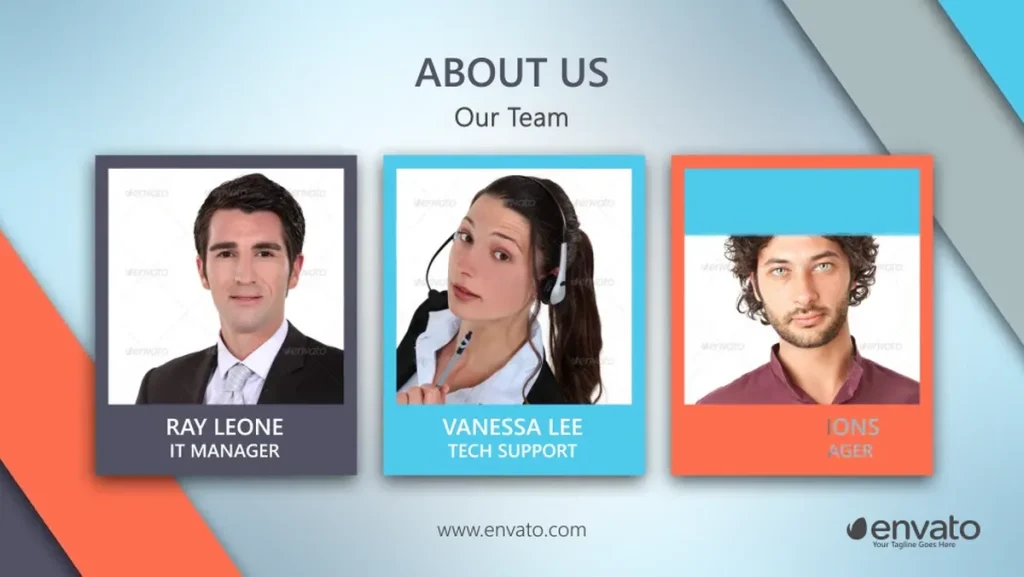
Team scenes are useful for presenting founders, executives, department heads, project leaders, or subject-matter experts. A typical layout combines a portrait, name, role, and short line of context. Consistent photography makes these scenes feel more professional, so try to match background, crop, lighting, and image quality. For organization charts, keep the structure simple and show only the relationships that matter to the presentation. A small company may give each person a dedicated scene, while a larger organization may group people by function. Leadership and team sections can be especially valuable in investor decks, proposals, bids, consulting presentations, and company profiles where the experience of the people behind the business influences trust.

Tell the Company Story with a Timeline

Timeline scenes can show how a company moved from launch to its current position. Milestones might include founding, product releases, certifications, office openings, major partnerships, customer growth, funding rounds, or expansion into new markets. Horizontal or vertical timeline animation helps viewers understand sequence without reading a long history paragraph. Use only milestones that contribute to the brand story; too many dates will slow the video and reduce the importance of the strongest moments. Pairing each milestone with a short headline, icon, image, or key number can add context. A strong timeline should make the past relevant to the present and show why the company is positioned for its next stage.

Communicate Mission, Vision, and Values

Mission and vision sections work best when they feel connected to the company rather than presented as generic slogans. Corporate templates often use simple backgrounds, strong typography, symbolic imagery, or short video clips for these scenes. Consider giving each core value its own concise statement and supporting visual. A company focused on innovation may use technology imagery and precise motion, while a sustainability message may use a different visual language. The point is not to decorate the words but to reinforce their meaning. When copy, imagery, color, and soundtrack support the same idea, the values section becomes part of the brand story instead of a checklist that viewers quickly forget.

Use Corporate Presentations at Events and Trade Shows

Corporate videos are often used outside conference rooms. They can run on exhibition displays, conference screens, retail monitors, event openers, booth loops, and launch-stage backgrounds. In environments where audio may be hard to hear, the main message should still be understandable through text and imagery. For trade-show loops, consider a seamless or near-seamless ending so the video can repeat naturally. Large displays require strong contrast and type that remains readable from a distance. Event versions may also include speaker names, sponsor logos, schedule information, partner branding, or a closing contact message. Because people may only watch a portion of the loop, important brand information should appear more than once or be distributed across the sequence.

Match the Template to Your Brand Identity

A professional template should adapt to the brand, not force the brand to imitate the template. Replace default colors with approved primary and secondary colors, use the correct logo treatment, apply brand typography where licensing and compatibility allow, and choose imagery that matches the company’s visual language. Some After Effects projects provide global color controllers or centralized controls, while others require scene-by-scene editing, so check the template documentation. Avoid adding too many accent colors and maintain strong text contrast. If the company has a formal brand guide, use it as the reference for color values, spacing, type hierarchy, and logo clear space. Consistency across scenes is what makes a template-based video feel like a true brand asset.

Replace Media and Logos Efficiently

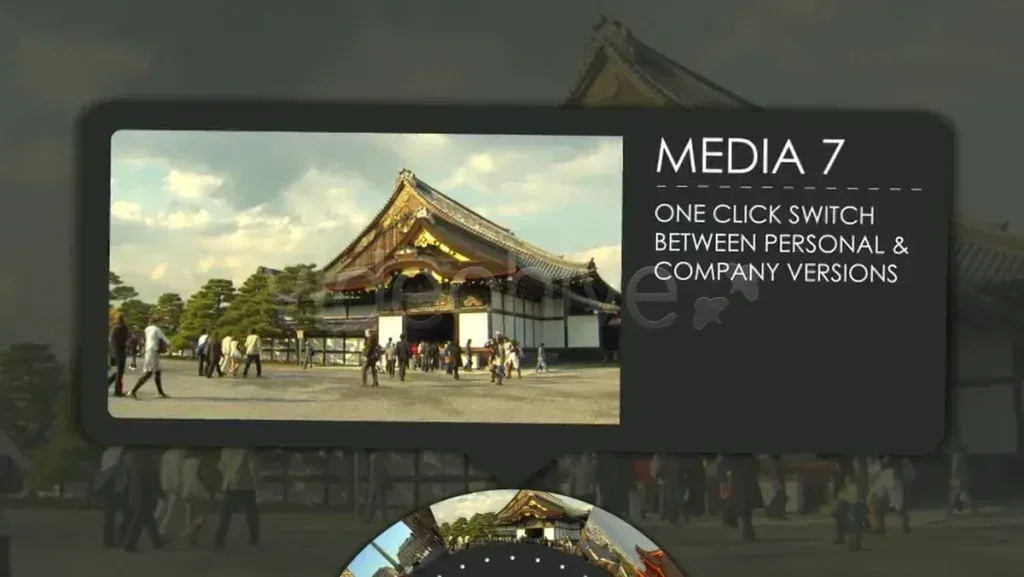
Media placeholders are a key part of an efficient template workflow. Editors typically place a new image or video inside a designated precomposition and the project handles the frame, mask, animation, or transition around it. Check the aspect ratio and crop before replacing media so important subjects are not cut off. Use a high-quality logo file, preferably with transparency or vector-based source where appropriate. A balanced corporate presentation can combine office footage, people, products, customer interactions, facilities, screenshots, and process details. The quality of the source media still matters: a sophisticated template cannot fully hide low-resolution images or poorly exposed footage. Organizing all approved assets before customization can save substantial time later in the edit.

Take Advantage of Modular Scene Structure

Modern corporate templates often use a modular structure in which each scene functions as a self-contained block. This makes it easier to reorder sections, remove unnecessary scenes, duplicate a layout, or create multiple versions from the same project. A one-minute cut may work for social media or a landing page, while a three- or five-minute version may be more appropriate for a meeting or website. When extending or shortening scenes, confirm that entrance and exit animations, transitions, and music cues still work correctly. It also helps to outline the story before editing: opener, company overview, problem, solution, services, proof, team, results, and contact, for example. A clear outline prevents attractive but irrelevant scenes from diluting the message.

Keep Corporate Typography Clear

Typography is one of the most important design decisions in a business video. Headlines should be readable immediately, and supporting copy should not become a dense paragraph on screen. Use a limited number of font weights, maintain clear hierarchy, preserve adequate line spacing, and ensure strong contrast against the background. If the presentation includes Persian, Arabic, or other right-to-left text, confirm that the selected font supports the script and test punctuation, numerals, and mixed-language phrases. Motion should guide the eye to the important line rather than make reading more difficult. A restrained text animation often feels more premium in corporate work because it gives the content room to communicate without competing with unnecessary visual movement.

Choose Minimal, Modern, or Dynamic Corporate Styles

Corporate presentation templates range from quiet minimal designs to energetic technology-driven layouts. Minimal projects with clean grids, generous whitespace, and subtle transitions can suit consulting, finance, legal, architecture, and executive reporting. More dynamic templates may fit startups, software products, agencies, or creative brands that want stronger motion and bolder typography. The right choice depends on brand personality, audience expectations, and the viewing environment, not only on how impressive the preview looks. A fast, flashy template may undermine a serious financial report, while an extremely conservative design can make a youthful product launch feel flat. Preview several scenes with your own content in mind before deciding which visual language is appropriate.

Check After Effects Version, Plugins, and Technical Specs

Always review the technical details for the specific project before downloading. Important fields include the required After Effects version, resolution, duration, number of text and media placeholders, plugin requirements, included documentation, fonts, and file size. Marketplaces offer templates with very different specifications, including HD and 4K options, modular timelines, global controls, and varying scene counts, so there is no single standard that applies to every Corporate Presentation. If your workstation has limited performance, very heavy projects may take longer to preview and render. Also verify whether music, stock footage, and preview images are included or shown only for demonstration. Reading the product details first can prevent compatibility problems and unnecessary rework.

Prepare Versions for Web, Social, and Internal Screens

A single corporate presentation may need several deliverables. Horizontal video is common for websites, YouTube, conference screens, boardrooms, and internal displays, while social platforms may require vertical or square versions. Converting an existing horizontal project is not always as simple as changing the composition size because text, images, charts, and motion paths may need to be redesigned. Decide the primary delivery platform before choosing the template whenever possible. For mobile viewing, test type size and small data labels; for large displays, verify resolution and contrast at distance. Adjust the duration and pacing to the channel as well: social viewers usually expect a faster edit than an audience watching a scheduled corporate presentation.

Free vs Premium Corporate Presentation Templates

Searches for free After Effects Corporate Presentation templates can surface useful options, but price should not be the only selection factor. Review the license, design quality, software compatibility, included assets, font requirements, documentation, and commercial-use terms. Premium templates often provide more scenes, stronger organization, better controls, or dedicated support, although high-quality free projects also exist. For client work and paid campaigns, confirm the rights for the template, music, fonts, footage, and imagery separately because preview assets are not always included in the download. Using reputable sources and understanding the license protects the final project and makes the workflow more predictable.

Download Corporate Presentations for Real Business Projects

Corporate Presentations are most useful when they shorten production time without weakening the clarity of the story. Before selecting a project, define the audience, objective, length, platform, brand style, required scenes, chart needs, and available media. Compare those requirements with the preview and technical description of each template. After downloading, create a rough version with real company copy and approved assets before spending time on polish. Once the structure works, refine colors, typography, music, transitions, and timing. This process turns a generic template into a credible company presentation that reflects the organization itself. The template provides the motion framework, but the strongest final videos come from accurate messaging, high-quality source material, and thoughtful customization.